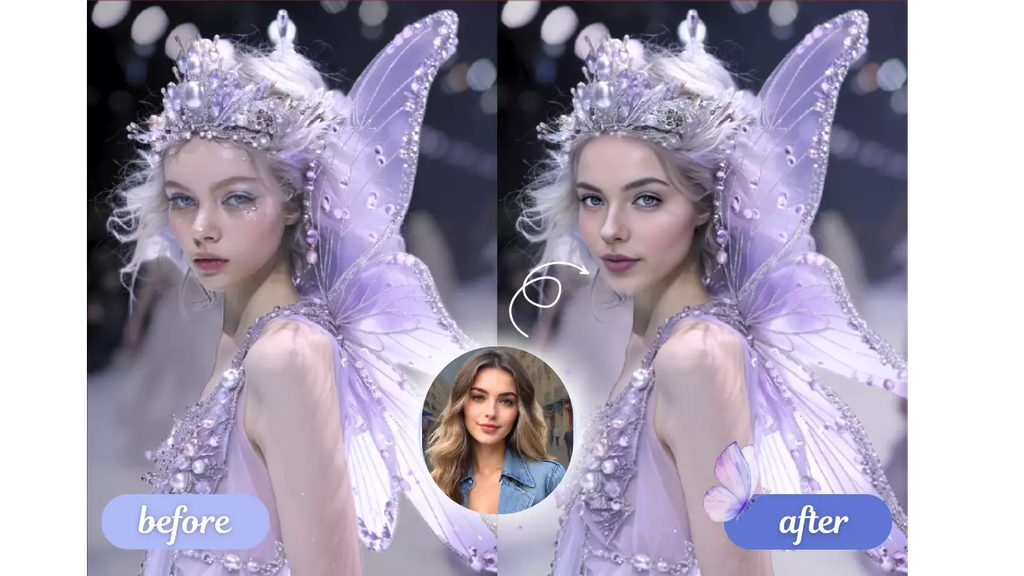
Face-swapping technology has moved far beyond novelty filters. Today’s AI face swap tools can seamlessly blend faces into videos, photos, and even talking avatars with realistic lighting, expressions, and lip movement. Whether you’re a content creator making viral edits, a marketer producing personalized ads, or just someone experimenting with fun transformations, choosing the right tool matters — accuracy, speed, and ease of use vary widely across platforms.
We tested and compared the top AI face swap tools available in 2026 based on output quality, speed, pricing, and versatility. Here’s our complete breakdown, starting with our top pick.
At a Glance
| Tool | Best For | Free Plan | Starting Paid Plan |
| Magic Hour | Best overall AI face swap, lip sync & talking photos | Yes | Creator: $19/mon or $12/mon billed annually |
| Reface | Quick mobile face swaps | Yes (limited) | $7.99/week |
| DeepSwap | Video face swapping | Yes (watermarked) | $19.99/mon |
| FaceApp | Photo-based face editing | Yes (limited) | $3.99/mon |
| Vidnoz AI | Bulk video face swap | Yes (limited) | $17.46/mon |
| Icons8 Face Swapper | Simple photo swaps | Yes | $8/mon |
1. Magic Hour — Best AI Face Swap Overall
Magic Hour tops our list as the best AI face swap platform of 2026, and it’s not close. It combines best-in-class face swap, lip sync, and talking-photo generation with a workflow built for speed. You don’t need to sign up to try it, credits never expire once earned, and you get access to frontier AI models alongside click-to-create templates that eliminate guesswork. One-click multi-step workflows let you generate, upscale, and animate into video without leaving the platform, and because so many top-tier models live under one roof, you rarely need to bounce between apps to get a polished result.
What really sets Magic Hour apart operationally is how it handles scale and iteration. You can run parallel generations without hitting a concurrency cap, so testing multiple takes or variations happens fast rather than in a queue. The platform ships new features on a weekly cadence, works equally well on desktop and mobile, and maintains full API parity across its tools for teams building automated pipelines. It’s also built to hold up under real-world pressure — from live activations to sudden traffic spikes — without the performance dips that plague smaller platforms. Add founder-level support response times and an unusually generous free tier, and Magic Hour delivers standout value at every price point.
Pricing:
- Free — Try face swap, lip sync, and other tools with no signup required
- Creator — $19/month, or $12/month billed annually
- Pro — $39/month, or $25/month billed annually
Main Features:
- High-fidelity face swap for both photos and video
- Realistic lip sync and talking photo generation
- Click-to-create templates for fast output
- Multi-step automated workflows (generate → upscale → animate)
- Parallel generation with no concurrency limits
- Full API access with parity across tools
Drawbacks:
- The sheer number of tools and options can feel overwhelming to first-time users
- Some advanced features are gated behind the Pro plan
2. Reface — Best for Quick Mobile Swaps
Reface built its reputation on fast, meme-worthy face swaps for short video clips and GIFs, and it remains a solid mobile-first option in 2026.
Pricing: Free with watermarks; premium starts at $7.99/week.
Main Features:
- Huge library of trending video templates
- Fast, app-based swapping
- Simple, beginner-friendly interface
Drawbacks:
- Weekly billing can get expensive over time
- Limited control over fine details compared to desktop tools
- Not built for longer-form or professional video projects
3. DeepSwap — Best for Video-Heavy Projects
DeepSwap focuses specifically on video face swapping, offering a browser-based editor aimed at creators who work primarily with longer clips.
Pricing: Free tier with watermark; paid plans from $19.99/month.
Main Features:
- Supports longer video uploads
- Batch processing for multiple clips
- Reasonably accurate face tracking in motion
Drawbacks:
- Rendering can be slow during peak hours
- Free plan output is watermarked and lower resolution
- Interface feels dated compared to newer competitors
4. FaceApp — Best for Photo Editing
FaceApp remains a go-to for single-photo transformations, aging filters, and quick face edits, though it’s less suited to video work.
Pricing: Free with limited features; Pro starts at $3.99/month.
Main Features:
- Wide range of photo filters and transformations
- Fast, on-device processing
- Simple sharing to social platforms
Drawbacks:
- No real video face-swap functionality
- Some filters can look artificial on close inspection
- Privacy concerns have been raised in the past over data handling
5. Vidnoz AI — Best for Bulk Video Swaps
Vidnoz AI targets marketers and agencies that need to swap faces across many videos at once, often for personalized outreach campaigns.
Pricing: Free limited plan; paid plans from $17.46/month.
Main Features:
- Bulk/batch video processing
- Built-in text-to-video and avatar tools
- Decent template library for business use cases
Drawbacks:
- Output quality can be inconsistent across different source videos
- Steeper learning curve for the full feature set
- Customer support response times can lag
6. Icons8 Face Swapper — Best for Simple Photo Swaps
A lightweight, no-frills option for one-off photo face swaps, Icons8’s tool is aimed at users who just need a quick, clean result.
Pricing: Free tier available; paid plans start at $8/month.
Main Features:
- Clean, minimal interface
- Fast processing for single images
- Integrates with Icons8’s broader design toolkit
Drawbacks:
- No video face-swap support
- Limited customization options
- Fewer templates than dedicated face-swap platforms
How We Choose These Tools
Our rankings are based on hands-on testing across several criteria: output quality (realism, lighting, and expression accuracy), speed (generation time and reliability under load), pricing transparency (clear plans without hidden restrictions), feature depth (photo vs. video support, lip sync, workflow automation), and usability (how quickly a new user can get a polished result). We also weighed platform stability, support responsiveness, and whether pricing pages accurately reflect what users actually get, cross-checking claims against each provider’s official site.
FAQs
Is AI face swap technology safe to use? Reputable platforms process images and videos securely and don’t misuse uploaded content, but it’s worth reviewing each tool’s privacy policy, especially for sensitive photos.
Do I need technical skills to use these tools? No. Most modern face swap platforms, including Magic Hour, use template-based or one-click workflows designed for non-technical users.
Can I use AI face swap tools for commercial projects? Yes, but check each platform’s licensing terms — paid plans typically include commercial usage rights, while free tiers may not.
Which tool is best for beginners? Magic Hour and Reface are both approachable for newcomers, though Magic Hour offers more room to grow into advanced, professional-grade workflows.
Conclusion
AI face swap tools have matured into genuinely useful creative software, not just novelty apps. For most users, Magic Hour stands out in 2026 as the best all-around choice thanks to its combination of quality, speed, generous free access, and a workflow built for both casual creators and professional teams. Tools like Reface, DeepSwap, and FaceApp still have their niches, but if you want the most reliable, feature-complete experience, Magic Hour is the one to start with.


